Jewelry Smart Shelf Setup and Anti-Theft Configuration
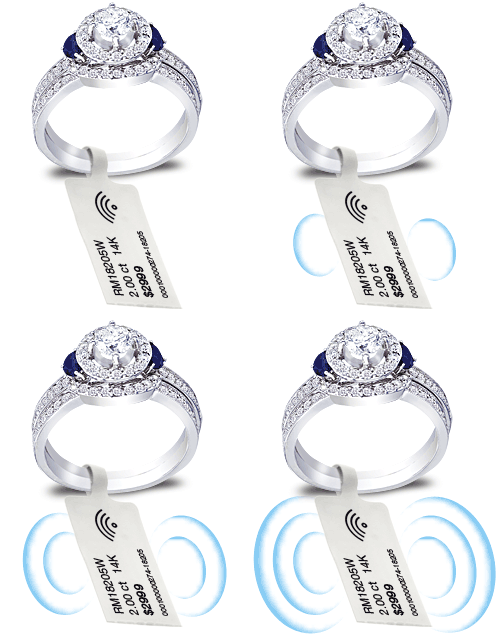
Jewelry Smart Shelf Setup combines software configuration, tag assignment, reader modes, monitored zones and alert testing for Fresh USA jewelry systems. This guide focuses on the technical setup of Smart Shelf and compatible anti-theft functions after the Windows software, database, readers and antennas have already been installed.
For the installer and primary software page, use Jewelry Inventory Software Download.
Use Smart Shelf / Safe Mode for Display Monitoring
The Fresh USA Anti-Theft / Inventory Software manual documents a Safe / Smart Shelf reader mode. In this mode, the software monitors registered merchandise assigned to a reader or display zone and shows whether expected tagged items are currently being detected.
Use clear zone names that match the physical jewelry layout, such as Diamond Showcase, Watch Counter, Bridal Display or Front Window. This makes item status and event records easier for employees to understand.
Assign Jewelry Tags to Item Records
Before Smart Shelf monitoring can identify individual merchandise, each compatible tag should be associated with the correct jewelry record in the software.
- Open the tag-management function.
- Select the reader used for the binding process.
- Select the correct merchandise classification or item record.
- Bring the tag into the reader field.
- Confirm the detected tag and complete the binding process.
The software manual also documents rebinding and unbinding functions for changing or removing tag assignments when merchandise or tags are replaced.
Configure Each Reader for Its Actual Function
Do not use one operating mode for every reader. A jewelry installation can use different readers for different tasks:
- Safe / Smart Shelf: continuous monitoring of tagged merchandise in a display zone.
- Anti-theft: monitoring at a checkpoint or protected passage.
- Auto binding: automatic tag assignment workflow.
- Auto unbinding: removal of tag assignments when appropriate.
- Auto anti-theft off: temporary removal of a registered tag from active protection without deleting its database record.
- Auto anti-theft on: return of a previously disarmed tag to the protected state.
This separation is especially important for jewelry companies that use Smart Shelf monitoring at showcases while also using other readers for inventory or exit control.
Set Smart Shelf Zones Before Adjusting Alerts
Complete the physical reader and antenna adjustment before relying on software alerts. Each monitored zone should have stable tag detection and minimal overlap with neighboring zones.
If an item appears in the wrong zone or repeatedly changes status while it remains physically stationary, return to antenna placement and RF power adjustment instead of changing alert logic to hide the problem.
See the Jewelry RFID Antenna Setup and Zone Adjustment Guide for the recommended tuning procedure.
Smart Shelf Alert Configuration
The supplied software manual includes anti-theft settings for Smart Shelf operation, including the Smart Shelf timeout and notifications for certain reader or item conditions. Configure these values only after the detection zones are stable.
During commissioning:
- place known tagged items in the monitored zone;
- confirm the software shows the expected merchandise as present;
- remove one test item from the zone;
- verify that the event is logged or the configured notification is generated;
- return the item and confirm normal monitored status is restored;
- repeat the test with several items and several zones.
Use the Event Log for Verification
The Fresh USA software manual documents an Events Log that stores anti-theft-related events and allows additional information to be opened for a selected event. Use the event log during commissioning to confirm that the correct reader, zone and tagged item are associated with the test event.
For multi-zone jewelry systems, this verification is more useful than simply confirming that an alarm appeared on screen.
Reader Connection Monitoring
The software can display connected-reader status and can be configured to notify the operator if a reader becomes unavailable. During jewelry Smart Shelf setup, disconnect one test reader or network connection in a controlled commissioning test and verify that the software reports the expected reader problem.
This test helps confirm that staff can distinguish a real missing-item event from a hardware or network communication issue.
Unknown Tag and Merchandise Testing
The manual also documents an option for notifying the operator when an unknown tag appears in an active reading zone. If this function is used in the project, test it separately from normal registered merchandise so the operator understands the difference between an unknown-tag event and a missing registered item.
Inventory and Smart Shelf in One System
The same Fresh USA software environment can support inventory documents, balance reports, tag management and compatible handheld-reader data exchange. This allows a jewelry company to use Smart Shelf monitoring for day-to-day display protection while still maintaining inventory records in the same database.
For inventory operation, the manual documents receipt/income records, issue/outcome records, balance reports and inventory data exchange with a compatible mobile terminal or handheld workflow.
Final Jewelry Smart Shelf Commissioning Checklist
- software and database open correctly;
- all readers show the correct connection status;
- reader names match the real jewelry zones;
- each reader is assigned to the correct operating mode;
- antennas cover their intended zones without excessive overlap;
- all production jewelry tags are assigned to the correct records;
- item removal and return tests work consistently;
- event logs identify the correct reader and item;
- reader-disconnection notifications are verified where enabled;
- final reader, antenna and software settings are documented for maintenance.
